Who Needs to Register a TM SIM in the Philippines?
Every single person who buys or uses a TM SIM card in the Philippines needs to register it. This includes:
- Filipino citizens living in the country
- Overseas Filipino Workers (OFWs) visiting home
- Foreign tourists on vacation
- Expats working in the Philippines
- International students studying here
- Business travelers
It doesn’t matter if staying for 3 days or 3 years. The moment someone puts a TM SIM in their phone they need to register it within a specific time period.
Types of Foreigners Covered Under the Law
The registration process is a bit different depending on why someone is in the Philippines. Let’s break it down:
1. Tourists (Short-Term Visitors)
Tourists are people visiting the Philippines for vacation or short trips. They usually stay for a few days to a few weeks.
Tourists typically enter the Philippines with:
- Tourist visa (visa-free entry for many countries)
- Visitor visa
- No long-term plans to stay
For tourists the registration process is simpler because they don’t have long-term IDs from the Philippines.
2. Foreign Residents or Workers (Long-Term Stay)
These are foreigners who live and work in the Philippines. They have permission to stay for months or years.
This group includes:
- Expats with work permits
- Foreign employees of Philippine companies
- Business owners and investors
- People with special visas like retirement visas
They usually have Philippine government IDs or documents that prove they live here legally.
3. Students (Study Visa Holders)
International students come to the Philippines to attend universities or schools. They have student visas and often stay for several months or years.
Students might have:
- Student visa (9F visa)
- ACR I-Card (Alien Certificate of Registration)
- School ID from their Philippine university
Requirements for TM SIM Registration for Foreigners
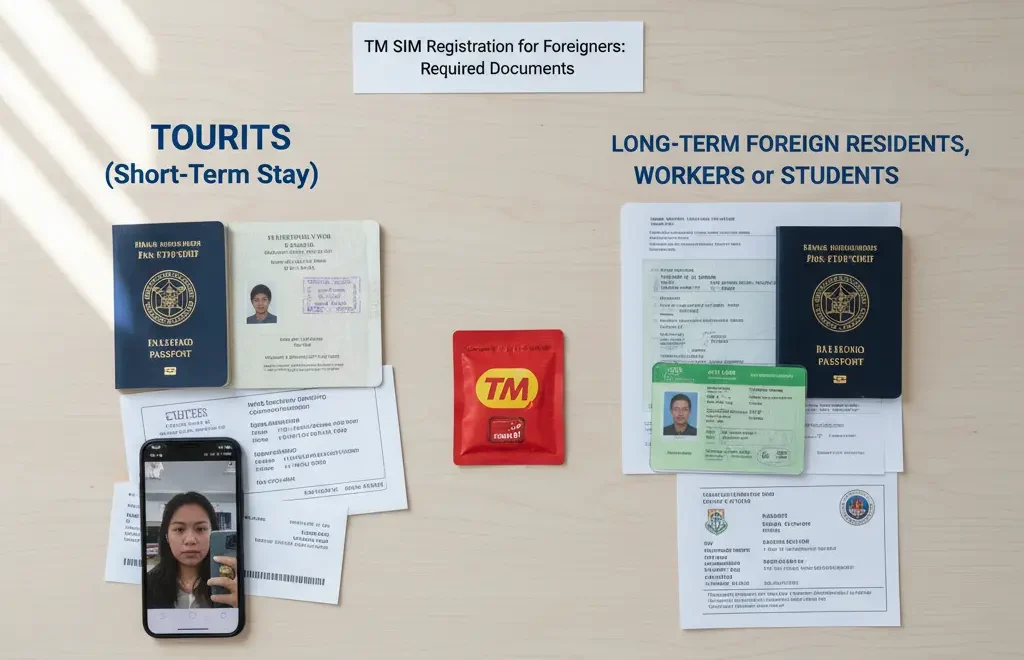
The documents needed depend on how long someone plans to stay in the Philippines.
For Tourists
For Long-Term Foreign Residents, Workers or Students
The ACR I-Card is the most important document for long-term foreigners. This is a government-issued ID card that all foreigners staying more than 59 days must have.
How to Register a TM SIM for Foreigners
There are two main ways to register a TM SIM card: online or in person at a store. Both methods work well.
Method 1: TM SIM Online Registration
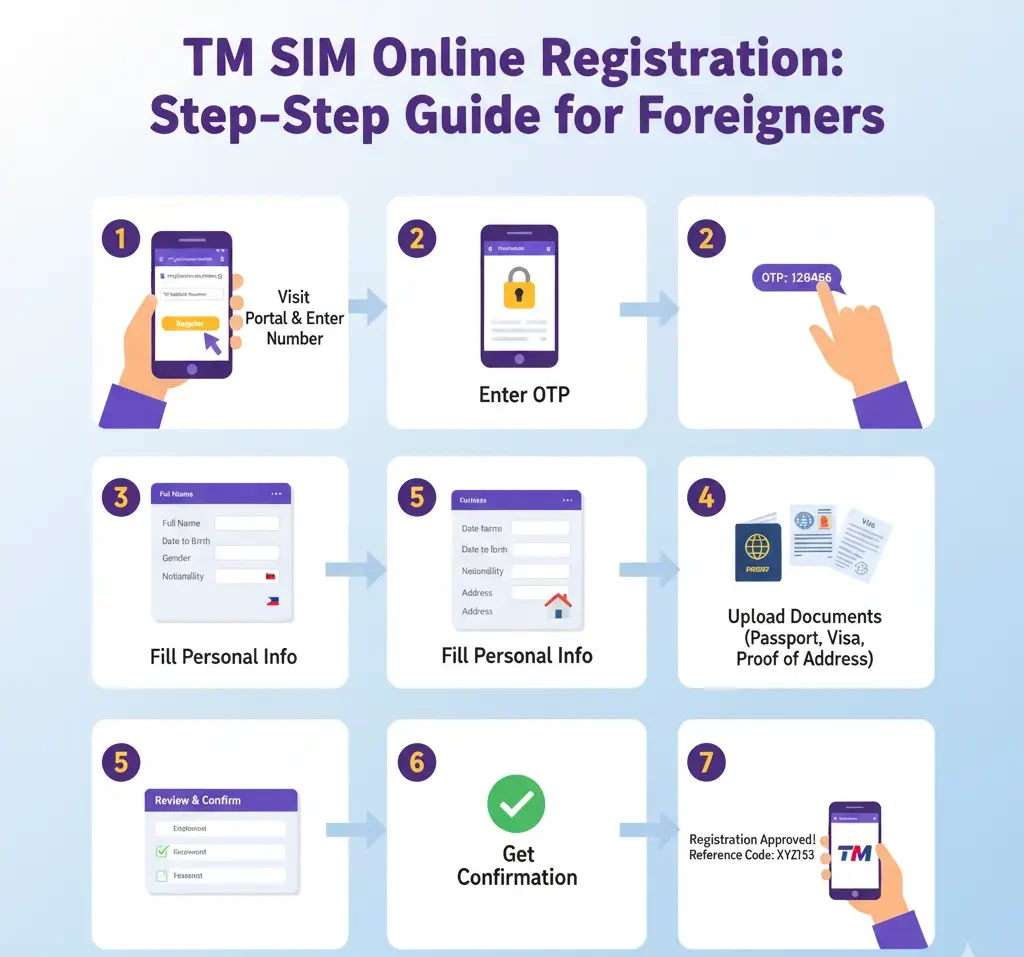
Online registration is the fastest and most convenient option. Here’s how to do it step by step:
Step 1: Buy a TM SIM card from any authorized seller (convenience stores, Globe stores, online shops).
Step 2: Insert the SIM card into the phone and turn on mobile data.
Step 3: Wait for a text message from Globe. The message will have a link to the registration website.
Step 4: Click the link in the text message. It will open the registration page.
Step 5: Fill out the TM Sim registration form with this information:
- Full name (exactly as written in passport)
- Date of birth
- Nationality
- Passport number
- Address in the Philippines (hotel address is fine for tourists)
Step 6: Upload clear photos of required documents:
- Passport photo page
- Passport page with arrival stamp
- ACR I-Card (if applicable)
Step 7: Take a selfie as instructed. The system uses this to verify identity.
Step 8: Review all information carefully and submit the form.
Step 9: Wait for a confirmation text message. This usually comes within a few minutes to a few hours.
Method 2: In-Store Registration
Some people prefer to register in person. This is helpful if having trouble with online registration or want help from staff.
Step 1: Find the nearest Globe or TM store. Major malls and shopping centers have them.
Step 2: Bring the phone, new TM SIM card and all required documents (originals).
Step 3: Tell the staff that needing to register a SIM card as a foreigner.
Step 4: The staff will help fill out a registration form. They might do it on a tablet or computer.
Step 5: Provide all required information and show documents.
Step 6: The staff will verify documents and complete the registration.
Step 7: Get a confirmation from the staff or wait for a text message.
In-store registration usually takes 10-20 minutes depending on how busy the store is.
Benefits of in-store registration:
- Staff can help if confused about any step
- Can ask questions directly
- Don’t need to worry about uploading photos
- Get immediate confirmation
After registration you can easily check your TM SIM Status Online.