
How to Change Registered Name on TM SIM
It is very important to have your mobile number registered under your real name. In the Philippines all SIM cards must be registered to their true owners to help keep everyone safe, stop scams and protect people from someone else using their SIM. So you have a TM SIM card but the name registered on it is not yours? Maybe you bought it from someone else or maybe you are using an old SIM that was registered under a family member’s name. Many people face this problem.
In this guide, I will show you exactly how to change the registered name on your TM SIM card. I will explain everything in simple steps that anyone can follow.
Why You May Need to Change the Registered Name on Your TM SIM
There are many reasons why you might need to change the name on your TM SIM:
You bought the SIM from someone else: Maybe you bought a SIM card from a friend or online seller. The SIM is still registered under their name not yours.
You are using a family member’s SIM: Your parent, sibling, or relative gave you their old SIM card. But it is still registered under their name.
You want to use prepaid promos: Some TM promos and services only work if the SIM is registered under your real name.
For security reasons: If something goes wrong with the SIM you want it to be under your name so you can fix problems easily.
Legal requirement: The SIM Registration Act in the Philippines requires that your SIM card must be registered under the actual user’s name.
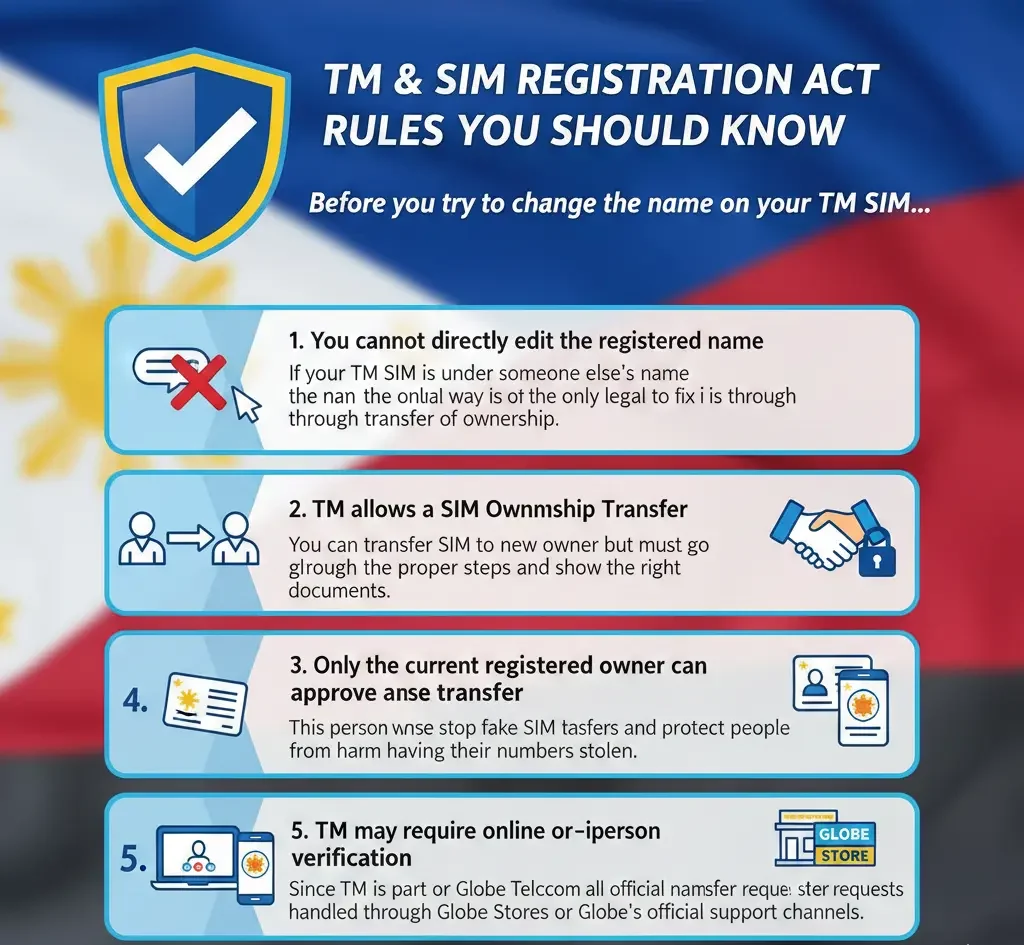
TM SIM Registration Act Rules You Should Know
Before we start let me explain some important rules about TM SIM registration. These rules will help you understand the process better.
1. You Cannot Directly Edit the Registered Name
You cannot just call TM customer service and ask them to change the name. It doesn’t work that way. The system is designed to protect people from SIM card fraud and identity theft.
2. TM Allows a SIM Ownership Transfer
TM allows you to transfer SIM ownership from one person to another. This is the official way to change the registered name.
3. Only the Current Registered Owner Can Approve the Transfer
The person whose name is currently on the SIM must agree to transfer it to you. They need to be involved in the process.
4. Both People Must Show Valid Government IDs
Both the current owner and the new owner (you) need to show real government-issued IDs. TM will check these IDs carefully.
5. TM May Require Online or In-Person Verification
Depending on your situation, you might need to visit a Globe store in person or you might be able to do some steps online.
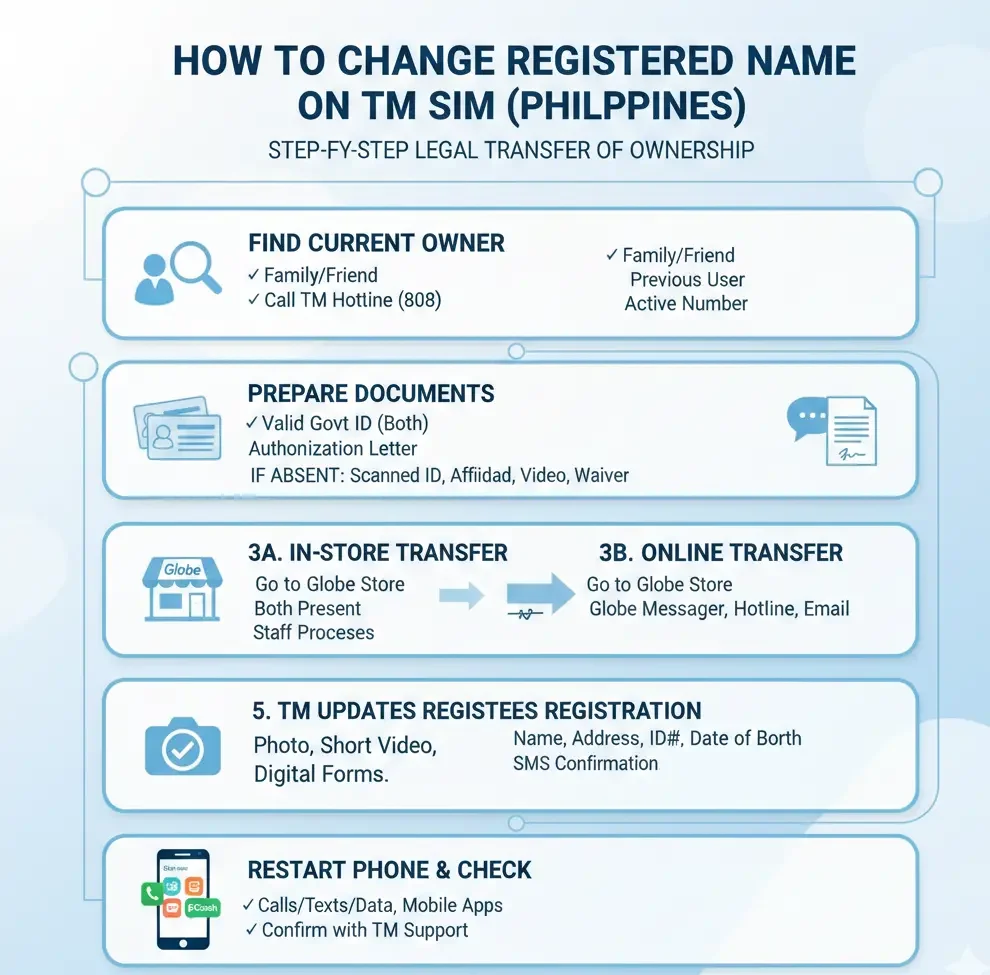
How to Change Registered Name on TM SIM (Step-by-Step)
Now let’s get to the actual process. Follow these steps carefully:
Step 1: Find Out Who the Current Registered Owner Is
First you need to know whose name is on the SIM right now.
How to check:
- Text SIM REG to 8080
- You’ll get a message showing the registered name and details
- Write down this information
Step 2: Prepare the Needed Documents
Before going to Globe store or starting the transfer gather these documents:
For the current owner:
- Valid government ID (original and photocopy)
- Examples: Passport, Driver’s License, National ID, PhilHealth ID, SSS ID, Postal ID
For you (the new owner):
- Valid government ID (original and photocopy)
- Same types of IDs listed above
Both of you need:
- The TM SIM card
- Your phone number
Step 3: Go to a Globe Store or Fill Out TM's Transfer Form Online
You have two options here:
A) In-Store Transfer (Recommended)
This is the easiest and most reliable way.
What to do:
- Both the current owner and new owner should go to any Globe store together
- Tell the staff you want to do a SIM ownership transfer
- Fill out the SIM Ownership Transfer Form they give you
- Submit both IDs (original and photocopy)
- The staff will guide you through the rest
B) Online Transfer (Limited Cases Only)
Sometimes TM allows online verification but this is not available for everyone. You can try:
- Visit the Globe website or TM portal
- Look for “SIM Registration” or “Update SIM Details”
- Follow the online instructions
- Note: Online transfer usually only works if the current owner started the SIM registration online. Most people will need to go in-store.
Step 4: Complete Identity Verification
Globe staff will verify both people’s identities. This might include:
- Checking your government IDs carefully
- Asking security questions
- Taking photos for their records
- Confirming your contact details
Step 5: TM Updates the SIM Registration
After verification is complete:
- Globe will update their system
- The SIM will now be registered under your name
- You will get a confirmation message (usually within 24 hours)
Step 6: Restart Your Phone & Check the Update
After you get the confirmation:
- Turn off your phone completely
- Wait 10 seconds
- Turn it back on
- Text SIM REG to 8080 again
- Check if your name now appears
Congratulations! Your SIM is now registered under your name. You can also register your TM SIM Without App.
What If the Current Registered Owner Is Not Available?
Sometimes things are not simple. Here are solutions for difficult situations:
1. You Bought the SIM from Someone You Don’t Know
If you can’t contact the original owner:
Your best option:
- Buy a new TM SIM card instead
- New SIMs are cheap (around ₱40-50)
- Register it under your own name from the start
- You’ll save time and avoid future problems
2. The Owner Is Abroad
If the current owner is out of the country:
Option 1:
- Wait until they come back to the Philippines
- Do the transfer together at a Globe store
Option 2:
- Ask them to send a notarized authorization letter
- They must also send a clear photocopy of their valid ID
- Bring these documents to Globe store
- Globe may or may not accept this (it depends on the store)
Call Globe first: Dial 211 from your TM number and ask if they accept authorization letters for SIM transfer. This saves you a wasted trip.
3. The Owner Has Passed Away
This is a sensitive situation. If the registered owner has died:
What you need:
- Death certificate (original or certified true copy)
- Your valid government ID
- Proof that you’re a family member or legal heir (if needed)
What to do:
- Go to a Globe Business Center (not a small store)
- Explain the situation to the manager
- They will guide you through a special process
- You may need to fill out additional forms
This process takes longer than normal transfer, so be patient.
Quick Tips for a Smooth Transfer
Here’s a helpful table with tips to make your transfer easier:
| Tip | Why It Helps |
|---|---|
| Go early in the morning | Globe stores are less crowded, faster service |
| Bring original IDs + 2 photocopies each | Saves time, some stores need multiple copies |
| Check your IDs are not expired | Expired IDs will be rejected |
| Make sure both people come together | Saves you from making multiple trips |
| Choose a big Globe store | They have more experience with transfers |
| Keep your SIM number active | Load it with ₱10 before transfer |
| Write down your number | Sometimes staff ask for it |
What Happens After the Name Change?
After your SIM is registered under your name:
Good news:
- You can use all TM promos without problems
- You can register for GCash using this number
- You can use the number for bank accounts
- You have full control of the SIM
- If you lose your SIM, you can request a replacement easily
Keep your registration updated:
- If you move to a new address, update it
- If you change your name (like after marriage) update it too
Conclusion
Changing the registered name on a TM SIM takes the right steps, proper verification, and help from the current owner. You can’t just edit the name on your own but TM has safe and official ways for you to transfer the SIM to your name. As long as you follow the process, prepare the needed documents, and complete the verification, you can make sure your TM number is legally and safely registered under your own identity.
FAQs
How long does the SIM transfer take?
If both people are present with valid IDs, the process takes 30 minutes to 1 hour at the store. The system update happens within 24 hours.
Is there a fee for changing the registered name?
Usually, there is no fee for SIM ownership transfer. But bring some money just in case (around ₱50-100).
Can I do this if I'm under 18 years old?
Yes, but you need a valid government ID. If you don’t have one your parent or guardian can register the SIM under their name.
What if my ID has a different address than the SIM registration?
That’s okay. The important thing is that the ID is valid and shows your real name clearly.
Can I transfer ownership to someone else later?
Yes. Once the SIM is under your name you can transfer it to another person using the same process.