
How to Register TM SIM Without App
Did you get a new TM SIM card? TM SIM users in the Philippines can now register their SIM cards without using the GlobeOne app. It is very interesting that you register your sim without using any app sometime you have no internet access for downloading the app so now you register without app.
In This guide I will show you exactly how to do it step by step. explains the whole process including Register TM SIM Without App, the documents you need, common problems you might face and how to check if your registration is complete.
Why You Need to Register Your TM SIM Card
Registering your TM SIM is important because the SIM Registration Act requires all SIM cards to be registered. This helps prevent fraud, stop spam messages and keep your number secure. If your SIM is not registered it might be deactivated. By registering your TM SIM through the official portal you can keep your service active to protect your identity and enjoy some benefits linked to your number.
If you don’t register your TM SIM, here is what happens:
- Your SIM card will stop working after a few days
- You can’t make calls or send texts
- Your mobile data won’t work
- You’ll lose your number permanently
What You Need Before Starting
Before we start make sure you have these things ready:
| What You Need | Details |
|---|---|
| Valid ID | Government ID like passport, driver’s license, or student ID |
| Clear Selfie | A photo of your face holding your ID |
| TM SIM Card | Your new or unregistered TM SIM |
| Internet Connection | Wi-Fi or mobile data to access the website |
| Your Personal Info | Full name, birthday, and address |
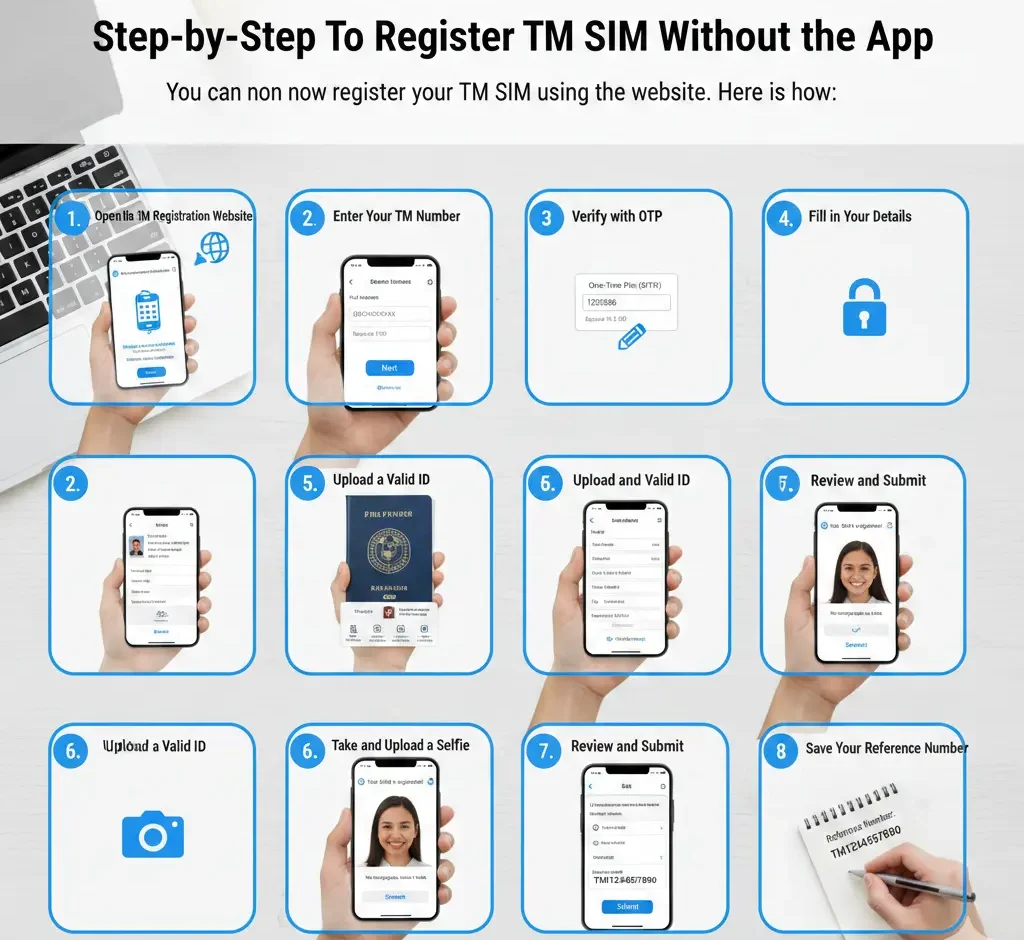
Step-by-Step: How to Register TM SIM Without App
let’s get your TM SIM registered. Just follow these steps.
Step 1: Go to the Official Registration Website
Open any web browser on your phone or computer. You can use Chrome, Safari, or any browser you like.
Type this website address: https://simreg.globe.com.ph
This is Globe’s official SIM registration website. TM is owned by Globe, so you use the same website.
Step 2: Enter Your TM Mobile Number
You’ll see a box asking for your mobile number.
Type your 11-digit TM number. It should start with 0905, 0906, 0915, 0916, 0917, 0926, 0927, 0935, 0936, 0945, 0953, 0954, 0955, 0956, 0965, 0966, 0967, 0975, 0976, 0977, 0978, 0979, 0995, 0996 or 0997.
Make sure you type it correctly. Double-check the numbers!
Then click the “Next” or “Proceed” button.
Step 3: Get and Enter the OTP Code
OTP means “One Time Password.” The website will send a code to your TM number via text message.
Wait for a few seconds. You should receive an SMS with a 6-digit code.
Step 4: Fill in Your Personal Information
Now you need to type your details. Be honest and accurate here.
You’ll need to enter:
- Full Name: Exactly as it appears on your ID
- Birthday: Month, day and year
- Address: Your current home address (street, barangay, city)
- Gender: Male or female
- Nationality: Usually Filipino if you are from the Philippines
Step 5: Upload Your Valid ID
Time to upload a picture of your ID. Click the “Choose File” or “Upload” button.
Accepted IDs include:
- National ID (PhilSys)
- Passport
- Driver’s License
- Voter’s ID
- SSS ID
- GSIS ID
- School ID
- Company ID
- Senior Citizen ID
- PWD ID
Step 6: Take and Upload Your Selfie
Here is an important step. You need to take a selfie while holding your ID next to your face.
How to take a good registration selfie:
- Hold your ID beside your face
- Make sure your face is clearly visible
- Your ID should be readable in the photo
- Use good lighting (natural light works great)
- Don’t wear sunglasses or hats
- Look at the camera and smile!
Upload this selfie to the website.
Step 7: Review Everything and Submit
Before you click submit, check everything one more time.
Look at:
- Is your name spelled correctly?
- Is your birthday right?
- Did you upload clear photos?
- Is your address complete?
If everything looks good then click the “Submit” or “Register” button.
Step 8: Save Your Reference Number
After you submit the website will show you a reference number or confirmation number.
You will need this number to:
- Check your registration status
- Contact customer service if there’s a problem
- Prove that you registered
You will also get a confirmation SMS on your TM number. You can also fix the error codes of TM Sim Registration.
How to Check If Your TM SIM Registration Worked
After completing the registration you can check your status using:
Method 1: Using the Official Website
Go back to https://simreg.globe.com.ph
Look for a link that says “Check Registration Status” or “Track Registration.”
Enter your:
- TM mobile number
- Reference number
Click “Check Status.” The TM website will tell you if your registration is approved, pending or if there’s a problem.
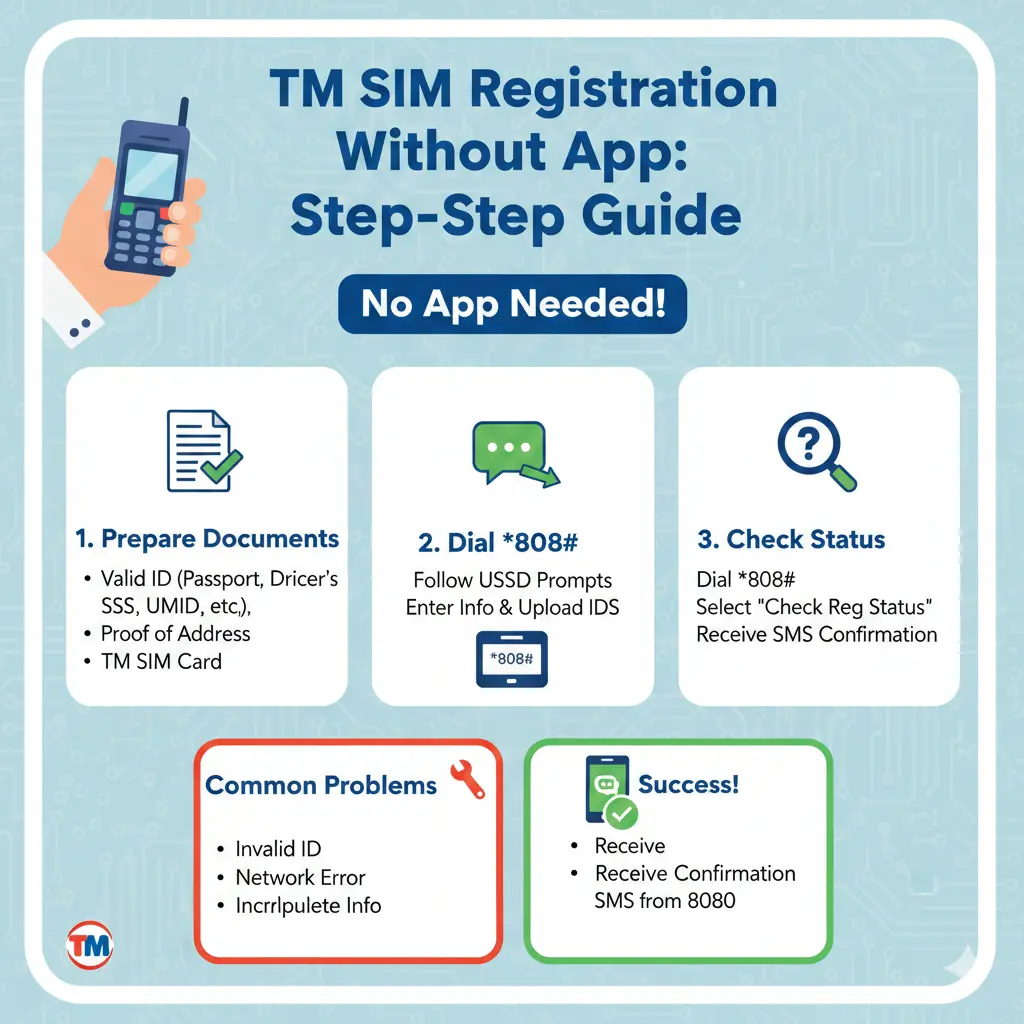
Method 2: Send a Free SMS
This is the easiest way! Just send a text message.
Type: REG STATUS
Send it to: 8080
It is free. You won’t be charged anything.
Within a few seconds, you will get a reply telling you if your SIM is registered or not.
Method 3: Visit a TM or Globe Store
If you want to talk to a real person go to any TM or Globe store near you.
Bring:
- Your phone with the TM SIM inside
- Your valid ID
The staff will check your registration status for you. They can also help fix any problems.
Do You Really Need the GlobeOne App?
You can register your TM SIM completely without downloading the GlobeOne app.
The website works perfectly fine. Many people actually prefer using the website because:
- It is faster than downloading an app
- You don’t need phone storage space
- It works on computers and tablets too
- You don’t need to create an app account
But is the app useful? Yes, if you want to:
- Check your load balance
- Buy promos
- Track your data usage
- Pay bills
So the app is helpful for managing your account, but you definitely don’t need it just to register your SIM.
Documents You Can Use for TM SIM Registration
Here is a complete list of valid IDs accepted for registration:
| Primary Government IDs | Other Valid IDs |
|---|---|
| National ID (PhilSys) | School ID |
| Philippine Passport | Company ID |
| Driver’s License | Barangay Certification with ID |
| Voter’s ID Card | Birth Certificate (with ID) |
| SSS ID | NBI Clearance |
| GSIS ID | Police Clearance |
| Senior Citizen ID | Postal ID |
| PWD ID | TIN ID |
| PRC ID | OFW ID |
For students under 18: You can use your school ID plus your birth certificate.
For seniors and PWDs: Your special ID cards work perfectly!
Common Problems and How to Fix Them
Sometimes things don’t go smoothly. Here are common issues and solutions:
Problem 1: “Invalid Mobile Number”
- Solution: Make sure you typed your TM number correctly. It should be 11 digits starting with 0.
Problem 2: “OTP Not Received”
- Solution: Check if your SIM has signal. Wait 2 minutes and click “Resend OTP.” Make sure your inbox isn’t full.
Problem 3: “ID Photo Rejected”
- Solution: Take a clearer photo. Make sure there is no glare and all text is readable. Try better lighting.
Problem 4: “Selfie Not Clear”
- Solution: Hold your ID closer to your face. Use natural light. Make sure both your face and ID are in focus.
Problem 5: “Registration Pending for Days”
- Solution: This is normal. Sometimes it takes 1-3 days for approval. If it is been over a week or call Globe at 211.
Conclusion
Registering your TM SIM without the GlobeOne app is easy using the official website. You need to Follow the steps enter your number, verify with OTP and upload your ID and take a selfie. You can finish it in few minutes. Don’t forget to save your reference number and check your registration to be sure your SIM is official and legal.
If you face any problems use the tips above, contact TM / Globe support or visit a store.
FAQs
How long does TM SIM registration take?
The registration process itself takes 10 minutes. Approval usually happens within 24 hours but it can take up to 3 days.
Is SIM registration free?
Yes! It is 100% free. You don’t pay anything to register your TM SIM.
Can I register someone else's TM SIM?
No. Each person must register their own SIM using their own ID and selfie. This is for security and legal reasons.
What happens if I don't register?
Your TM SIM will be deactivated. You will lose the number and won’t be able to use it anymore.
Can I use my old TM number if I didn't register before?
If your SIM was already deactivated you might have lost that number. Contact Globe customer service at 211 to check.